Taking meeting notes that never leave your phone
Most meeting tools send your audio to a server to transcribe it. That is a lot to ask of a one-on-one, a client call or a board meeting. Hingenote transcribes on the phone itself, so the conversation stays in the room.
1. Prop the phone on the table
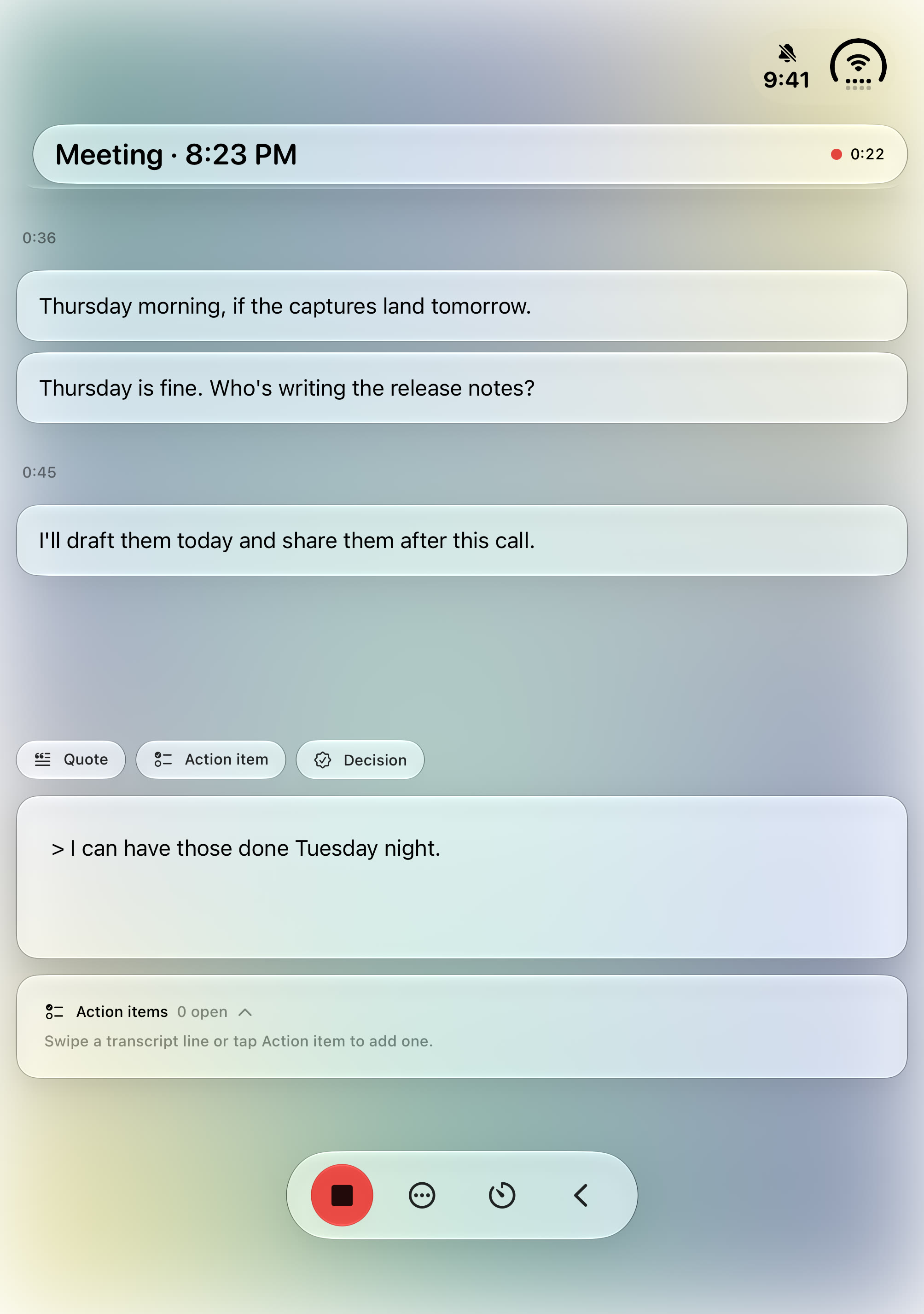
Fold the phone halfway and set it down like a tiny laptop. The raised half shows the live transcript as people talk; the flat half holds your notes and action items, right under your thumbs.
2. Start recording and let it listen
Tap record. Transcription runs on the device, and each pause starts a new turn, so you can tag who said it. Nothing is uploaded: there is no account and no cloud processing.
3. Capture as you go, with one tap
Tap any line to quote it in your notes, turn it into an action item with an owner and a due date, or mark it as a decision. You stay in the conversation instead of typing.
4. Let the summary do the tidying
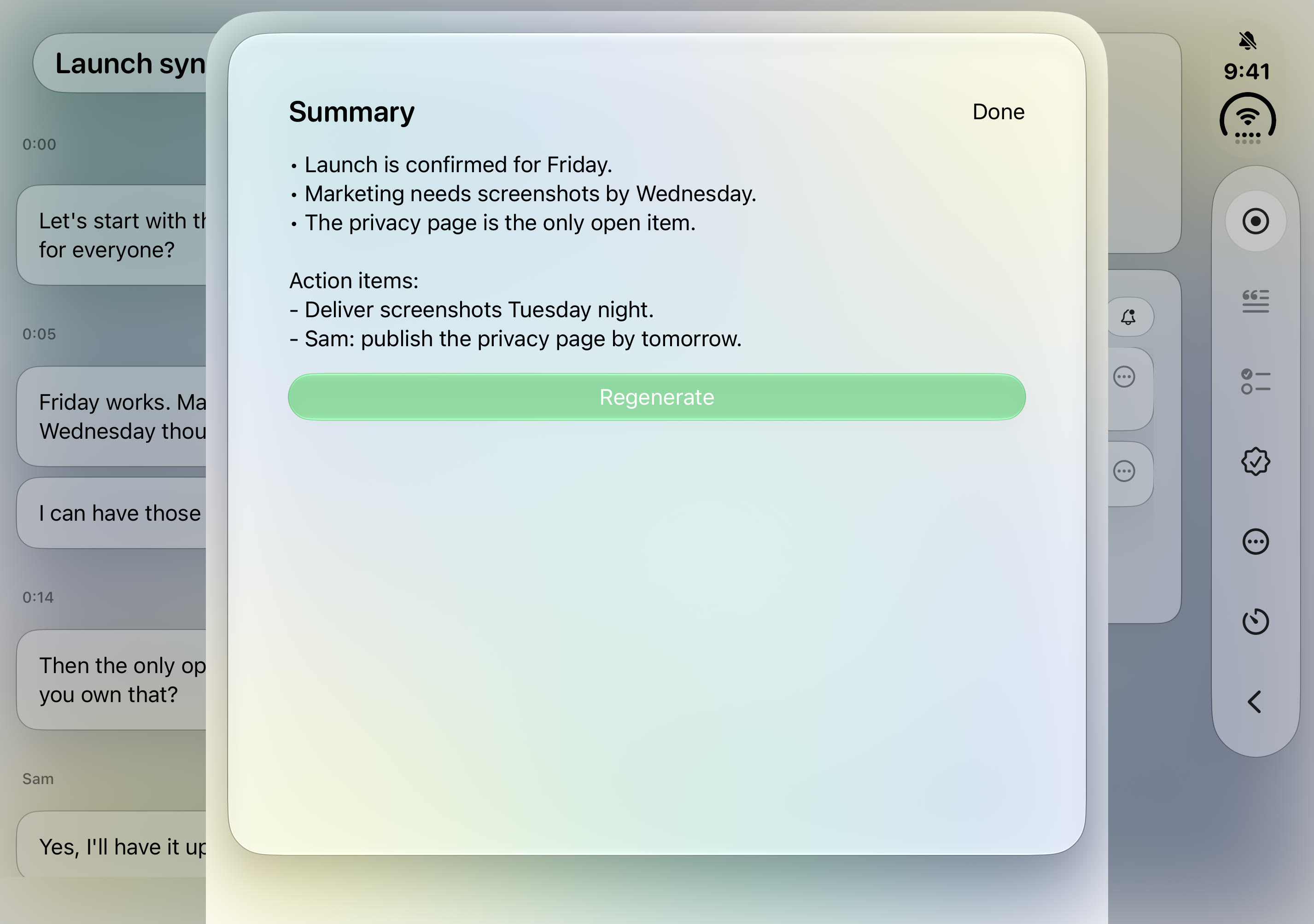
When the meeting ends, an on-device summary pulls out the key points, decisions and open action items.
5. Share what matters
Export your notes as Markdown, or as PDF with Pro, and send action items to Reminders with Pro.
Need to focus instead?
Stand the phone up in tent pose and the outer screen becomes a focus timer, with optional ambient sound.
Hingenote is free to start, with 3 transcribed sessions a month included.
Download on theApp Store